
I can't log in
As it's a new system, every user is required to register as a new user before they can log in. However, it is vital that you use the same email address that you used on the old system. This is how your new user account connects with your historical data, such as your club, permissions and results.
If you need to change the email address on your account - see next question.
If you cannot remember which email address you used to log into the old system, or no longer have access to it, please Contact Support
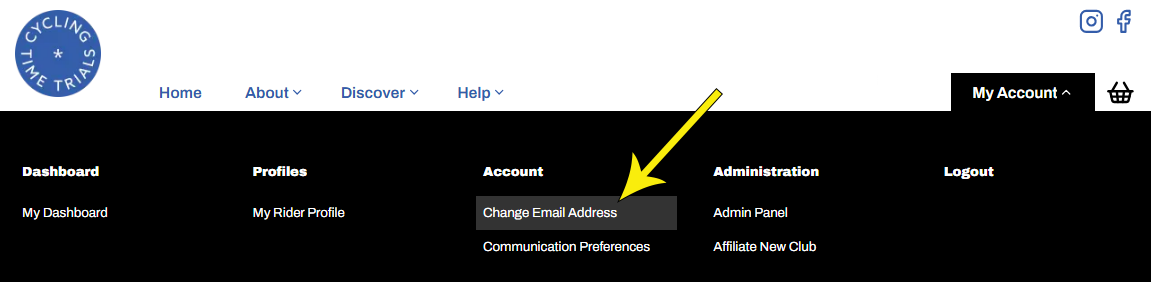
How do I change the email address on my account
Hover over My Account on the right side of the Home Page and select Change Email Address
How do I find and enter an event
Please follow this link to the Event Finder User Guide
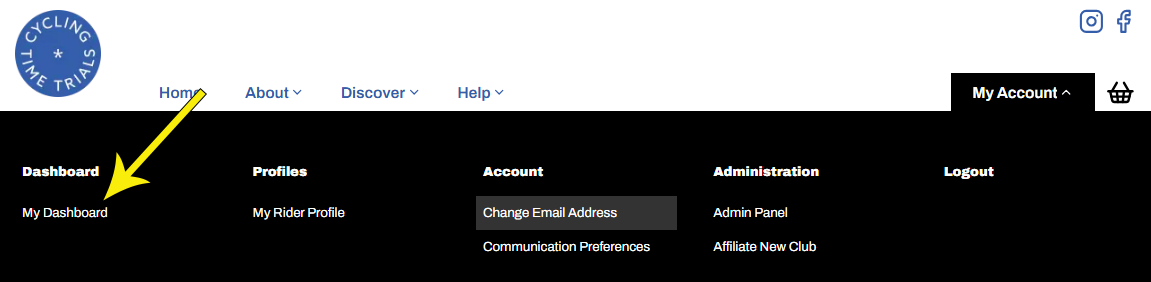
How do I withdraw or edit my event entry
Provided the event's closing date has not passed, you can withdraw your entry for a full refund, less a £1 admin fee. You can also edit entry details, for example your bike type. To do so, hover over My Account and select My Dashboard
Why can't I search by District
You can!
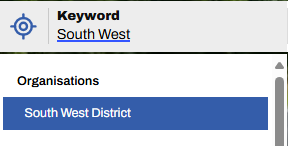
This is covered fully in the Event Finder User Guide. In summary, there are two ways to do this.
1. Use the Keyword search - simply type the name of the district into the keyword search box and select it from the drop down. This can be combined with a date range, and then further refined by any combination of a long list of filters.
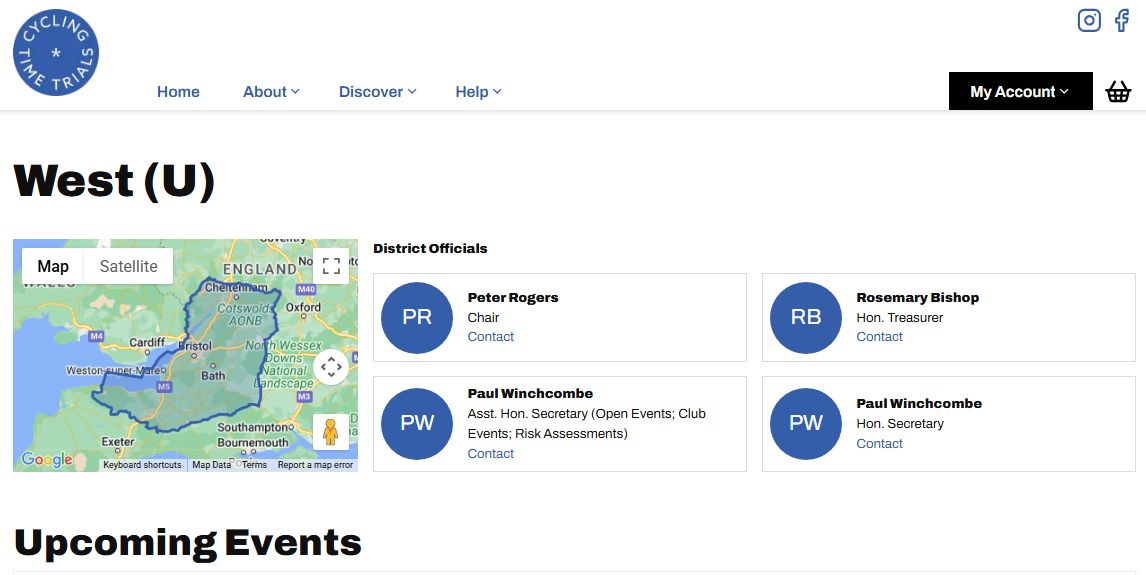
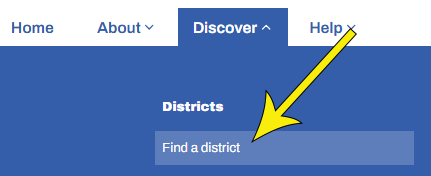
2. Use Find a District - from the Home Page, hover over Discover and select Find a District. Select your district from the map. This will return an unfiltered view of all future events in your chosen district.
I'm a district or club admin, how can I see the admin pages
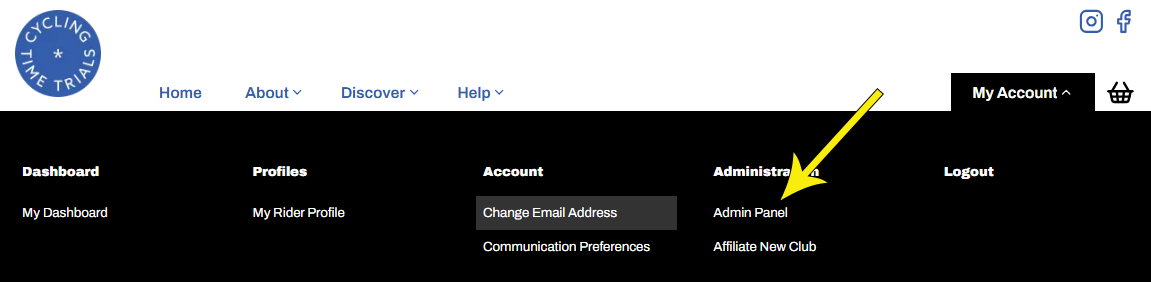
All district officials, event organisers, club administrators and club event secretaries have access to the Adman Panel. The menu options you'll see there depend on your level of access. If you need access but don't have it, please Contact Support. To reach the Admin Panel, hover over My Account and select Admin Panel
Once there, if you don't see a menu on the left, click the ☰ icon to expose it. Menu items are split into categories. To open a category, click the arrowhead to its right so that it looks like this ᐱ.
How do I renew my Club's Affiliation
Clubs must be affiliated to CTT in order for their members to be insured to race. Clubs must affiliate each year, between October 01 and December 31 for the following year. Clubs affiliating outside of this window will be subject to a late joining fee. Clubs that carry advertising on their kit or the name of their website are subject to an Advertising fee.
Standard affiliation costs £60, the advertising fee is an additional £100, and the late joining fee is £40
In the new system, each club has a single Primary Contact responsible for club administration, including renewals. If you have admin permissions for your club, you will be able to administer it via the Admin Panel (see previous question).
When we migrated from the new system we aimed to establish the best-suited primary contact for each of the 1300 active clubs on the system. Some of the data in the old system was out of date and unreliable so it's possible you've not been granted access when you should have been. If you believe this to be the case, for example if you need to renew the club but cannot see a link to the Admin Panel, please Contact Support
I missed the affiliation window - do I have to pay the late joining fee
Yes!
We get asked this a lot. The answer is always "yes". This is set by the Board and there are no exceptions
How do I add club events for my club
Please go to the Admin Panel (see above) and look for a link to Event Builder. You'll find a link to instructional videos that guide you through the process. If you do not see a link to the Admin Panel, please Contact Support to be added as an Events Secretary for your club
Where are my results
You can find your results in My Dashboard (see above). Our priority has been migrating historical results that impact your race start number—specifically, results from the last three seasons. Older results will be added later.
If you don’t see recent results, it’s likely that you registered with a different email address than the one used in the old system when you achieved those results. If this applies to you, please Contact Support. We’ll need to delete your new account so you can re-register using your old email address to restore your race history.
Where can I find Historical Results and Start Sheets
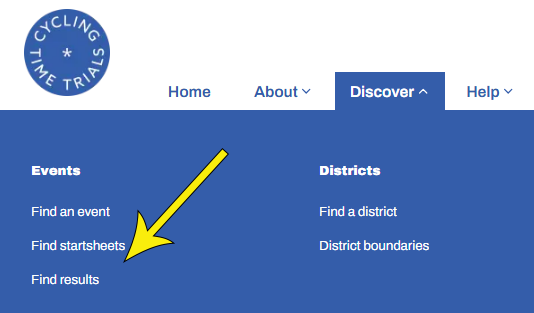
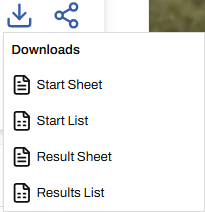
Any rider can find, download and share, any Start Sheet or Result Sheet residing on the system. To do so, hover over Discover and select either Find startsheets or Find results, then select from the list. You'll be presented with the event's page; scroll down to see the list. Each event page contains links, top right. Select to download and to share the link to the page


Why are some of my Road Bike results listed as TT Bike results
The Road Bike category was introduced in mid-2023. Any results before that specifying a TT bike simply mean Bike. Similarly, any pre-2023 result labeled Road Bike appears that way because it was a Road Bike-only event
Where do I find Police Notices and Accident Report forms
All forms are available in the Documents section of the Admin Panel. They can be access by Admins, Event Organisers and Event Secretaries only. If you don't have access to the Admin panel but believe you need it, please Contact Support explaining why